Stay on the recipe page you already trust
FoodFlip adds a page-anchored panel to the recipe you are already using, so you can compare swaps without copying ingredients into another app or search tab.
For home cooks in the middle of a recipe
FoodFlip finds ingredients you can swap on the recipe page, shows replacement options and amounts, and updates the recipe in place. Use it free for pantry gaps, diet needs, or cooking preferences.
Why FoodFlip
Built for the moment when the recipe and your pantry disagree.
FoodFlip adds a page-anchored panel to the recipe you are already using, so you can compare swaps without copying ingredients into another app or search tab.
Missing one ingredient should not mean another grocery trip. FoodFlip helps you keep moving with practical swaps for real pantry gaps.
Whether the goal is dairy-free, lighter, plant-based, or simply more in line with how you like to cook, FoodFlip gives you options with context.
When FoodFlip can confidently determine the amount to use, it surfaces quantity-aware replacement text so the swap is more actionable than a generic substitute list.
How it works
Open FoodFlip, click the ingredient, and apply the best-fit swap.
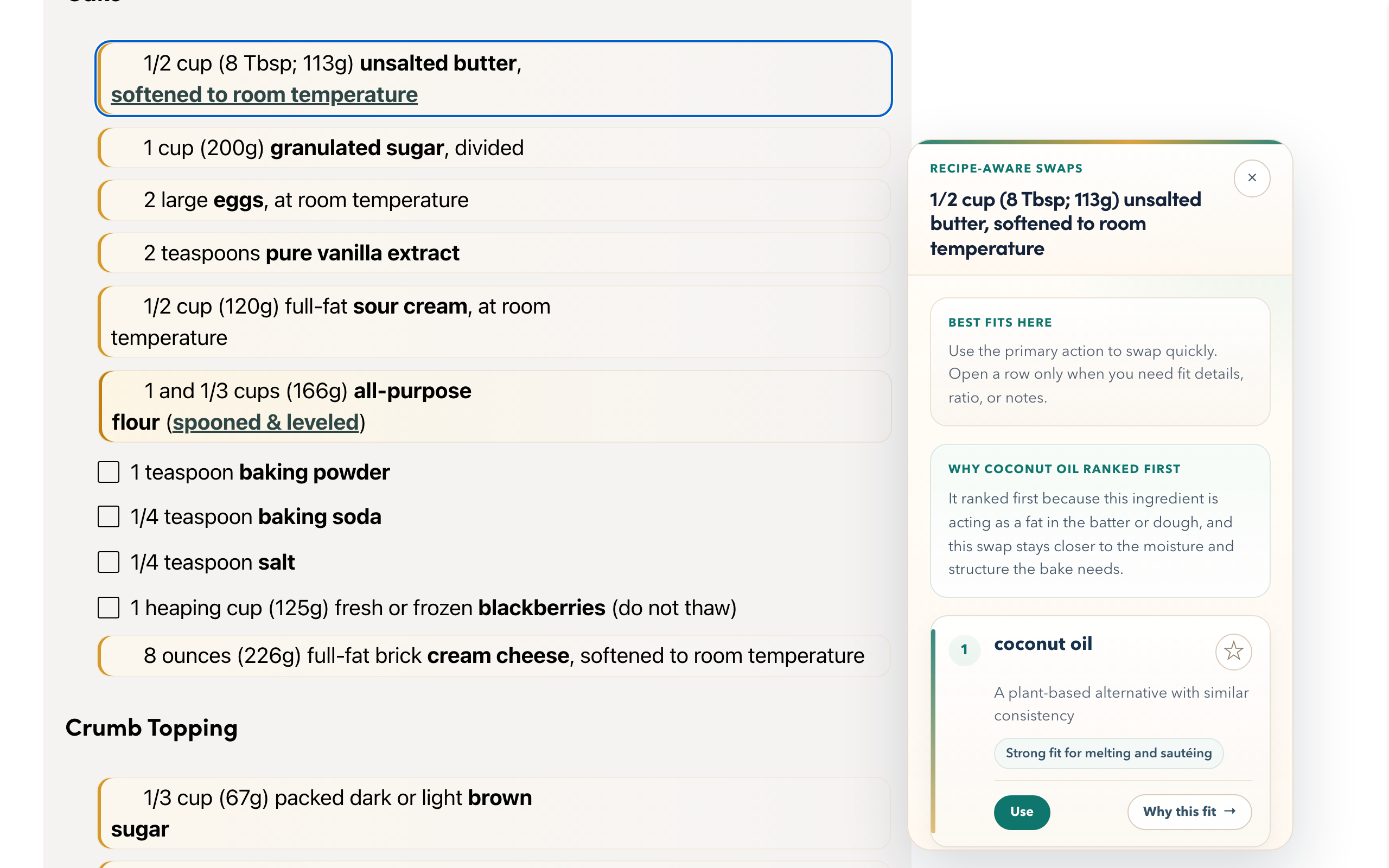
Click the extension on any supported recipe page. FoodFlip finds swappable ingredients and highlights the ones you can act on.
Each option is ranked for recipe fit, with clearer reasoning and quantity-aware guidance when FoodFlip can calculate the amount to use.
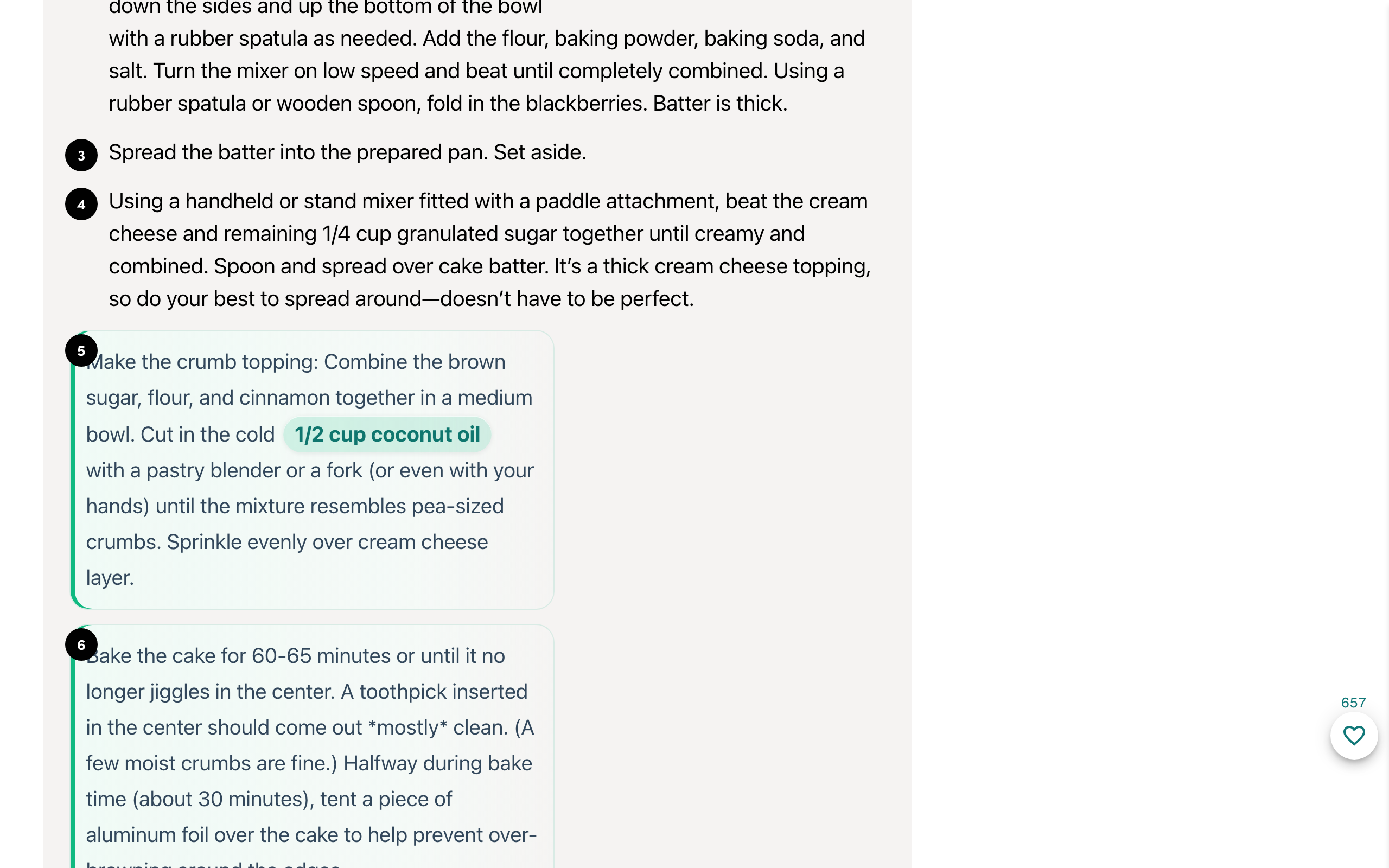
Pick a swap and the page updates in place. The free extension handles the immediate decision; Pro remembers favorites for later.
See it in action
FoodFlip feels like part of the recipe page, not a detour.
Local-first
Free mode stays local in your browser. Pro stores only account state and saved swaps for sync.
FoodFlip Pro
Free handles fast in-page swaps. Pro adds saved swaps, reopen controls, sync, and billing.
Free
$0
Pro
$2.99/month
or $29.99 annually
Questions
Free should be obvious. Pro should be easy to judge.
No. The free extension works immediately on supported recipe pages. You only need an account if you want FoodFlip Pro features like saved swaps, reopen controls, and sync across browsers.
FoodFlip Pro adds saved swaps, popup reopen controls, sync across signed-in browsers, and billing management. The free extension still handles local recipe scanning, ranked substitutions, and in-page swap application.
Free mode processes recipe pages locally in your browser. If you choose Pro, FoodFlip stores only the account state and saved swaps needed to sync favorites across browsers.
Yes. FoodFlip surfaces quantity-aware replacement text when it can confidently determine the amount, so the swap is more useful than a generic substitute list.